
In today’s video production environment, there is a need for consistent visual styles across video campaigns and channels worldwide. To duplicate those styles manually may take a lot of knowledge in editing and multiple revisions. One way is to use AI to analyze the structure and presentation of a sample video. Can produce original writing that uses comparable story structures without copying the original.
Understanding AI-Based Video Style Replication
Style replication is the process of breaking down and understanding how a video conveys its message, not copying the creative assets. It can analyze sequencing, pacing, framing, transitions, captioning, movement, and visual relationships. One way of showing a presentation is through talking photo. The other reference may feature product shots or quick cuts between scenes. Inspiration is not duplication, as new videos should have original scripts, media, characters, and product information. Those signals are Pippit’s to play with, while maintaining a unique message and creative identity.
Elements AI Learns from Reference Videos
AI can analyze the components of a presentation that can influence the viewers’ experience of a video. A storytelling sequence demonstrates the relationship between the opening, main message, supporting details, and closing action. When editing rhythm, it is possible to see where the emphasis is being placed in the visuals and how often the scenes are changing. Visual composition suggests framing, positioning of subject(s), backgrounds, and foreground relationships. Scene pacing is used to decide how long to keep scenes of the story visible before moving on. Caption presentation involves positioning, timing, size, and hierarchy of text. Motion dynamics refers to the movement of the camera and the movement of the subject, zooms, and transitions. Pippit leverages these signals in combination with prompts and uploaded assets to produce coherent presentation styles.
Steps to Replicate Video Styles from Reference Footage with a Video Agent
Step 1: Import your style references
- Sign up for Pippit using your Google, TikTok, or Facebook account.
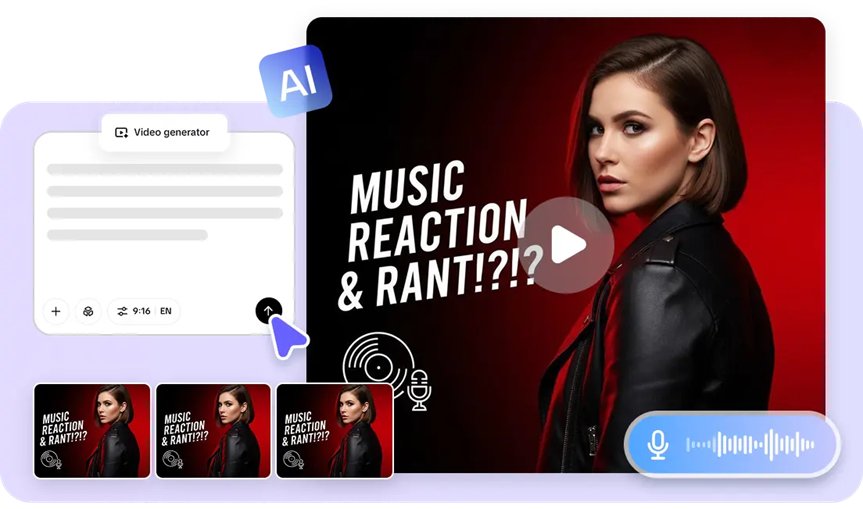
- Open “More” and select “Video generator”.
- Choose Dreamina Seedance 1.0, Dreamina Seedance 2.0, Dreamina Seedance 2.0 Fast, Dreamina Seedance 2.0 Mini, or Dreamina Seedance 2.5.
- Describe the video style you want to recreate with a detailed prompt.
- Choose the video length, language, subtitles, and aspect ratio if required.
- Click “+” to upload reference videos or images from your device, phone, Dropbox, or a link. You can also use assets if you do not have reference media.
- Click “Generate”.
Step 2: Generate the styled video
- After clicking “Generate”, Pippit creates a video from your prompt and reference footage.
- The AI applies transitions, pacing, captions, avatars, voice, lyrics, and visual enhancements automatically.
- Preview the generated draft.
Step 3: Refine and export
- Click “Download” to save the draft, “Regenerate” for another version, or “Edit more” for additional edits.
- Edit captions, text, colors, alignment, size, filters, and effects.
- Add background music, remove backgrounds, and fine-tune the visuals.
- Click “Export”.
- Choose “Publish” or “Download” with your preferred format, resolution, frame rate, and quality.
Preparing High-Quality Reference Footage for Better AI Results
The clarity of the presentation patterns that an AI system can perceive is dependent on the quality of the reference. Select footage that has a structured storyline, as defined sequences give better indications of scene relationships. When transitions, framing, and visual treatments are consistent throughout the sample, this helps. A clear visual identity can show repeated colors, compositions, typography, or subject arrangements. Even pacing keeps the scenes that are created from being rushed or uneven. Readable captions give more information about timing, placement, and hierarchy. Here are some selection checks you might want to consider:
- Identifiable beginning, middle and end to the narrative.
- Regular changes and visual treatments.
- Good visual identity that is consistent throughout.
- Evenly paced, not too many scene changes.
- Clear placement and timing of readable captions.
- Appropriate subject matter related to the desired video.
Combining Your Own Assets with Reference-Based Generation
Reference-based generation is more useful when original assets provide the actual content of the video. Product images can be used to add the correct packaging to the generated scene, as well as clothing, devices, or merchandise. Original footage could be demonstrations or branded material that should be recognizable. Logos, colors, typography, and other identity elements can be added during the editing process for custom branding. Text prompts further explain the audience, message, tone, setting, and call to action. Pippit video agent uses these inputs along with reference footage. Owned assets specify content and reference guides presentation.
AI Features That Improve Style Consistency in Pippit
Pippit provides tools to maintain a consistent video production from campaign to campaign. Automatic scene generation helps to structure provided information into coherent visual sequences. AI voice synchronization can synchronize narration with the scenes and characters that are generated. Smart captions can assist in putting spoken information into written text on the screen. Video integration with an avatar allows for videos that include digital presenters, branded characters, or product demonstrations. Using transition optimization can help make the movement between scenes smoother. Visual enhancement tools offer control of effects, backgrounds, colors, and presentation details. Pippit also offers various languages, aspect ratios, and video lengths to meet different publishing needs.
Fine-Tuning the Generated Video Without Losing Style Consistency
The footage generated is usually edited at the end before it is published. Captions can be “corrected, repositioned, resized, or restyled” if their readability needs improving. Effects should enhance the visual nature of the reference, rather than unrelated treatments. Pacing can be adjusted by making repetitive moments shorter or scenes that require explanation longer. Music can help set the emotional tone and can also be used to ensure good dialogue intelligibility. Colour changes can be made to make the generated scenes and uploaded brand assets consistent. Aspect ratios can be adjusted for vertical, square, or landscape use. Control the amount of change in the refinement process; too many changes can break down established visual relationships.
Publishing Style-Consistent Videos Across Multiple Social Platforms
Regular posting can help to build brand awareness across multiple platforms. Pippit enables scheduling and social publishing workflows (Facebook, Instagram, and TikTok). Platform-ready formatting can adjust aspect ratios and presentation needs prior to posting. There are approved logos, colors, typography, messaging and visual conventions that need to be followed to keep the branding consistent. Check captions, branding, audio, aspect ratio, and calls to action before posting. This is the final check to ensure consistency, but also enable platform-specific changes if needed. This allows production to remain practical for recurring campaigns and continuous social content.
Conclusion
Reference-video analysis can make the production style easier, since it can help determine the narrative patterns and the way of presentation. AI can convert those patterns into fresh material, without having to recreate each editing decision manually. Pippit incorporates reference footage, prompts, original assets, generation models, editing tools, and publishing. This will help production speed and provide control for captions, effects, pacing, branding, and formatting—well-chosen references and considered editing help to ensure a consistent visual story throughout campaigns and across social channels.