
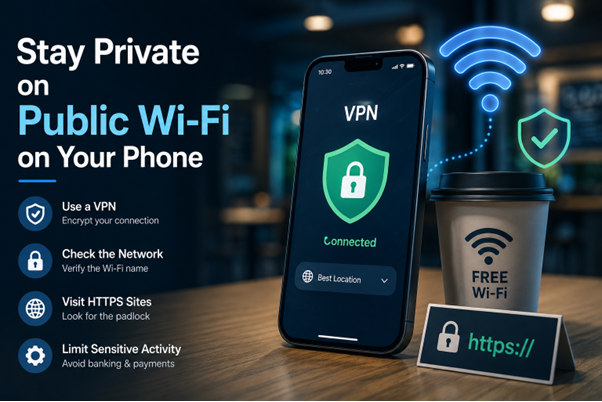
Public Wi-Fi is convenient, but you have less control over how the network is configured. To stay more private, verify the network before connecting, avoid sensitive activity when possible, keep your phone updated, use HTTPS, and consider a VPN when you need an additional layer of network privacy.
Free Wi-Fi can be useful when you are at an airport, hotel, café, library, or shopping center. A few taps can get your phone online without using your mobile data.
The trade-off is that you usually do not know who manages the network, how it is configured, or who else is connected to it. That does not mean every public Wi-Fi network is dangerous. Modern websites and apps commonly use encryption, which has made public Wi-Fi safer than it was years ago.
Still, your phone contains enough personal information that a little caution is worthwhile. The way you connect, what you do while connected, and how your phone is secured all affect your privacy.
Check the Network Before Connecting
One of the simplest risks is connecting to the wrong network.
A café might have a network called “Cafe_WiFi,” for example, but someone nearby could create another network with a similar name. CISA specifically recommends confirming the name and login procedure with the appropriate staff before connecting to a public hotspot.
If you are unsure, ask an employee for the exact network name and whether a password or sign-in page is required.
Also be cautious with networks that appear unexpectedly or require you to provide unnecessary personal information before allowing access.
Avoid Sensitive Activity When Possible
You do not necessarily need to avoid public Wi-Fi altogether. But some activities are better left for a trusted connection.
If you are connected to an unfamiliar hotspot, consider waiting until you have switched to mobile data before:
- Accessing online banking
- Making an important purchase
- Entering sensitive personal information
- Managing confidential work accounts
- Changing important passwords
If you have no alternative, pay attention to whether the website uses HTTPS. Encrypted websites protect information sent between your device and that particular website. However, HTTPS does not make a fake website trustworthy, so always check that you are using the legitimate site.
Use a VPN for an Additional Layer of Privacy
A VPN can be useful when you regularly connect to networks you do not control.
When a VPN is active, your phone establishes an encrypted connection to the VPN server, which can help protect your traffic from local network observers and hide your real IP address from websites you visit through that connection.
If you frequently connect to café, hotels, airports, or other public hotspots, you may want to use a VPN on phone as part of your privacy routine.
However, a VPN should not be treated as a complete security solution. It does not stop phishing, prevent you from downloading malicious apps, or make a fraudulent website legitimate.
Keep Your Phone Updated
Public Wi-Fi is only one part of mobile security.
Your phone’s operating system and installed apps should also be kept up to date. Software updates often address security vulnerabilities, and delaying them can leave known weaknesses unpatched.
Turn on automatic updates if your device supports them. It is also worth removing apps that you no longer use rather than leaving old software installed indefinitely.
Use Mobile Data When It Makes More Sense
Sometimes the simplest alternative to public Wi-Fi is the connection already provided by your phone carrier.
That does not mean cellular connections are automatically private or anonymous. Your carrier can still process network information, and websites can use other methods to identify or track you.
The point is simply to consider whether connecting to an unknown hotspot is necessary when mobile data is available.
Watch What Your Phone Connects To
Phones are designed to make connecting to familiar networks convenient. But automatic connections can become a privacy concern if you have saved many old Wi-Fi networks.
Review your saved networks occasionally and remove ones you no longer use.
You should also be careful with Bluetooth and nearby-device features in crowded public places. A phone is a small computer with multiple ways to communicate, including Wi-Fi, Bluetooth, and cellular connections. NIST notes that mobile devices face risks across these different network interfaces.
Keeping unnecessary connection features disabled when you do not need them can reduce unnecessary exposure.
Review App Permissions
Your Wi-Fi connection is not the only thing that can reveal information about you.
Apps may request access to your location, microphone, camera, contacts, photos, or files. Some permissions are necessary for an app to work, while others may not be.
Review permissions periodically and ask whether an application actually needs the access it has.
For example, a maps application may need location access, while a simple calculator has little reason to know where you are.
Reducing unnecessary permissions can help limit the amount of information an app can collect from your phone.
Secure Your Accounts Before Using Public Wi-Fi
A secure connection cannot compensate for weak account security.
Use unique passwords for important accounts and enable multi-factor authentication wherever possible. MFA adds another verification step beyond the password, making unauthorized access more difficult if your password is exposed.
Your email account deserves particular attention because it may be used to reset passwords for many other services.
A password manager can also make it easier to maintain unique passwords without having to memorize every one.
Be Careful With Fake Wi-Fi Login Pages
Some public networks require you to sign in through a browser before providing internet access.
This is normal, but it creates another opportunity for deception.
A fake hotspot could redirect you to a page designed to collect an email address, password, payment information, or other personal details.
Before entering sensitive information, consider whether the request makes sense. If a hotel asks for a room number or a café provides a simple access code, that is different from an unknown network demanding your banking password.
If a Wi-Fi login page looks unusual, close it and confirm the correct connection process with the business.
A Real-Life Example
Imagine you are waiting at an airport and your phone automatically detects several Wi-Fi networks.
One network has a name similar to the airport’s official hotspot. You connect and immediately see a login page asking for your email address and password.
Instead of entering the information, you check the airport’s website and confirm the official network name. You then connect to the legitimate hotspot and use a VPN before continuing with less sensitive browsing.
Nothing dramatic happened, but this is exactly where simple privacy habits can prevent unnecessary exposure.
The important point is that the biggest risk is not always the Wi-Fi itself. A fake network, phishing page, weak password, or careless permission can create a problem even when the underlying technology is working normally.
Don’t Confuse a VPN With Complete Anonymity
VPNs are useful privacy tools, but they have limits.
A VPN can hide your IP address from websites you visit through the VPN connection and encrypt traffic between your phone and the VPN server. It does not automatically make you anonymous.
For example, if you sign in to a social media account, that service still knows which account you are using. Cookies, browser or device characteristics, and information you voluntarily provide can also contribute to identification.
This distinction matters because privacy is usually about reducing unnecessary exposure, not becoming completely invisible online.
Check Your Connection After Connecting
If privacy matters to you, it can be useful to verify what your connection is actually exposing.
An IP lookup can show the public IP address associated with your current connection, while a DNS leak test can help identify whether DNS requests are escaping the expected connection path.
This can be particularly useful after setting up a VPN. If something does not look right, you can investigate before using the connection for more sensitive activity.
Make Public Wi-Fi a Routine, Not a Risk
You do not need to avoid every public hotspot.
Instead, build a few simple habits around them:
- Confirm the network name before connecting.
- Prefer mobile data for sensitive activities when practical.
- Look for HTTPS when using websites.
- Use a reputable VPN when additional network privacy is appropriate.
- Keep your phone and apps updated.
- Disable unnecessary connection features.
- Review app permissions.
- Use unique passwords and MFA.
- Forget old Wi-Fi networks you no longer use.
- Be suspicious of unexpected login pages.
These steps do not guarantee complete privacy, but they reduce several common sources of unnecessary exposure.
Final Thoughts
Public Wi-Fi is not automatically unsafe, and modern web encryption has reduced many of the risks associated with using open networks. Still, you have limited control over a network you do not own.
The best approach is to combine network awareness with good phone security. Verify the hotspot, avoid unnecessary sensitive activity, keep your device updated, secure your accounts, and consider a VPN when you need an additional layer of privacy.
A few seconds of caution before connecting can be more valuable than trying to fix a privacy problem afterward.
FAQs
Is public Wi-Fi safe to use on a phone?
Public Wi-Fi is not automatically dangerous, but you should use it carefully. Confirm the network, avoid unnecessary sensitive activity, and use HTTPS and other security measures.
Should I use a VPN on public Wi-Fi?
A VPN can add an extra layer of privacy when using a network you do not control. It can encrypt the connection to the VPN server and hide your IP address from websites you visit through it.
Can public Wi-Fi see what I am doing?
The amount of information visible to a network depends on the connection and the services you use. HTTPS and VPN encryption can limit what network operators or other users can observe.
Is mobile data safer than public Wi-Fi?
Your own cellular connection can be a preferable alternative to an unfamiliar public hotspot. However, mobile data is not completely private or anonymous, so other security and privacy practices still matter.
Does a VPN make me completely anonymous?
No. A VPN can hide your IP address and protect the connection to the VPN server, but websites can still identify you through accounts, cookies, device characteristics, and information you provide.
What should I do if I connect to a suspicious Wi-Fi network?
Disconnect from the network and forget it on your phone. If you entered sensitive credentials, change the affected passwords from a trusted connection and enable MFA where available.